
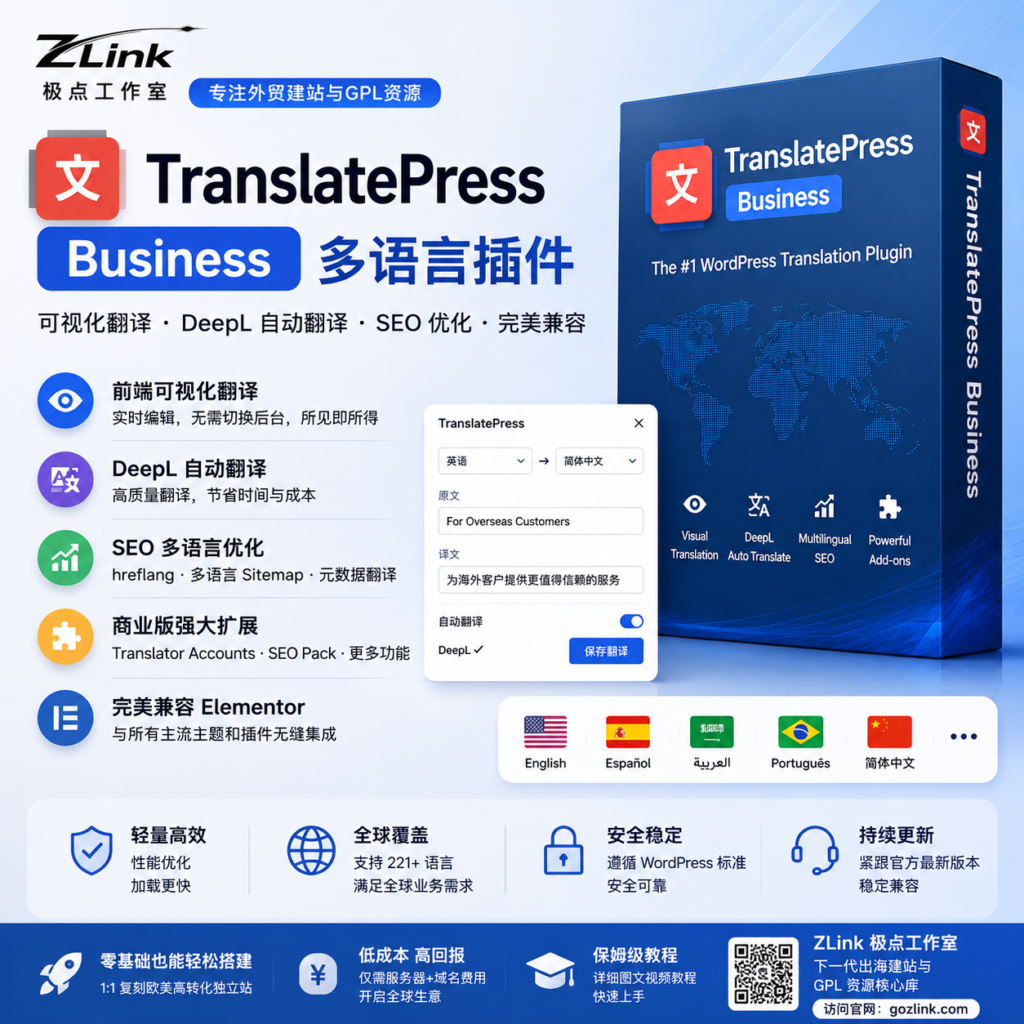
Overview of resources
TranslatePress Business is one of the best visual translation plugins currently available in the WordPress ecosystem for independent e-commerce sites, multilingual SEO, and B2B global expansion. It supports automatic translation via DeepL and Google Translate, multilingual URLs, localized SEO, and multilingual and dynamic content translation for WooCommerce, allowing you to quickly build a professional-grade internationalized website without complex configuration.
Core Functions Unlocking Instructions
This resource is an open-source version licensed under the GPL. It has passed security testing and functional integrity verification by the ZLink technical team and can be reliably deployed for enterprise-level, multilingual standalone websites.
- Site-wide Visual Translation:
Real-time visual editing in the front end, supporting direct translation of content such as pages, menus, footers, pop-ups, and Elementor modules. - DeepL Automatic Translation Integration:
It fully supports automatic translation via the DeepL API, offering more natural semantic rendering that better aligns with the reading habits of users in Europe and the United States compared to traditional machine translation. - Multilingual SEO Optimization:
Automatically generate URLs in different languages (such as/en/、/de/), compatible with Rank Math / Yoast SEO, significantly improving Google's ability to index multilingual content. - WooCommerce Multilingual Support:
It can translate product pages, attributes, categories, checkout processes, and more, making it suitable for cross-border e-commerce and foreign trade inquiry websites. - Dynamic Content Compatibility:
Supports Elementor, Popup, dynamic fields, form plugins, and most major WordPress themes.
Technical configuration and compatibility
To ensure the plugin runs smoothly, ZLink recommends that your server meet the following system requirements:
- Current Version: Business Stable (Stable Version)
- Running environment: PHP 8.0 or later is recommended
- Database: MySQL 5.7+ / MariaDB 10+
- Memory Limits: We recommend setting `memory_limit` to 256M or higher.
- Core dependencies: You must first install and activate the free version of TranslatePress.
Installation and Deployment Guide
Detailed Installation and User Guide
- Preparation phase:
Before installing the Business Edition, please install and activate the free basic version of TranslatePress in the WordPress dashboard. - Upload the installation:
Go to the WordPress dashboard → “Plugins” → “Install Plugins” → “Upload Plugin,” then select the Business zip file to upload it. - Coverage Upgrade:
If the system prompts that the directory already exists, simply select “Replace the current version.” - Feature Activation:
Once installation is complete, you can use all advanced features without a license key. - API Configuration Recommendations:
Recommended for use with the DeepL API to enable high-quality automatic translation and batch page generation.
Recommended Use Cases
- B2B E-commerce Platforms for International Trade
- Google SEO for Multilingual Website Networks
- Cross-Border Brand Official Websites
- Elementor Corporate Website
- WooCommerce Cross-Border Online Store
- Overseas Localized Marketing Landing Pages
Legal & Compliance Statement
This resource is intended solely for technical research, functional testing, and educational purposes. If you plan to use the website for a formal commercial project, ZLink recommends prioritizing the official, licensed version of TranslatePress to gain access to official cloud translation quotas, technical support, and long-term update services.
More Resources and Website-Building Tutorials:
🌐 gozlink.com